Workflow approval steps with multiple voter eligibility blocks

frontend
25.12
enhancement
Published

December 10, 2025

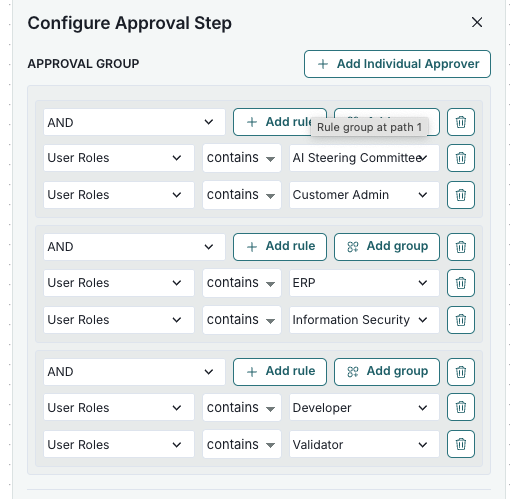
You can now add multiple voter eligibility blocks to approval step conditions in the settings. Each block defines requirements for an individual approver, and at least one vote is required for each block.

If an approver matches several blocks, their vote counts for all relevant ones.
Configure workflows

A configuration interface titled Configure Approval Step displays a section labeled Approval Group. It includes a series of dropdown menus and buttons arranged in a vertical list. Each row begins with a dropdown labeled AND followed by a dropdown for User Roles, a dropdown for conditions such as contains, and a text field with specified roles like AI Steering Committee and Customer Admin. To the right of each row are buttons labeled Add rule and Add group, with a trash bin icon for deletion. At the top right corner, there is a button labeled Add Individual Approver.

Configure Approval Step dialog