Model inventory: Field keys and configurable fields
frontend
25.12
highlight
Update field keys in custom fields
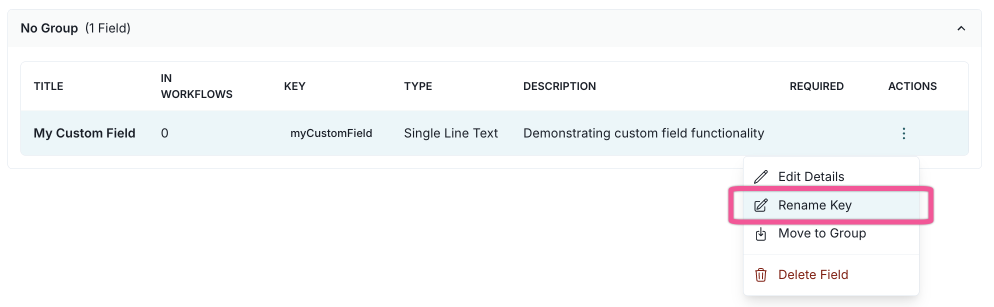
You can now view and rename the keys for custom fields directly from the custom fields settings page.
When you change a field’s name, you can also update its key. This keeps your custom field names and keys in sync, making it easier to manage calculated fields and maintain consistency.
Make core fields configurable for inventory models
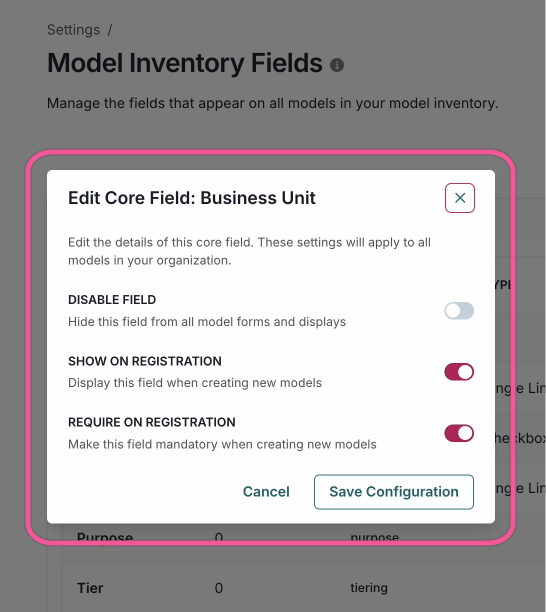
You can now configure core fields for inventory models, enabling greater flexibility and customization for model registrations and inventory overviews.
Core fields are the default fields that are always included when a model is created.